



AI Generated Clips

Turn Raw Clips Into Publish-Ready Video In Minutes

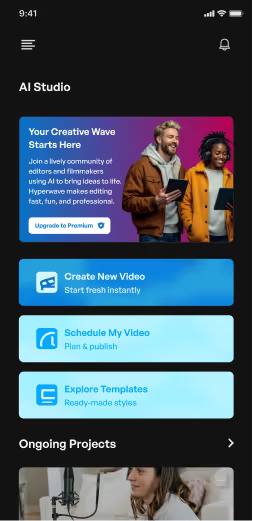
Upload raw footage. Choose how polished you want it. Hyperwav analyzes your audio and visuals, then automatically trims, captions, enhances, and structures your video — without timelines or manual edits.

AI Generated B Roll

Auto Generated Captions

Auto Camera Angles

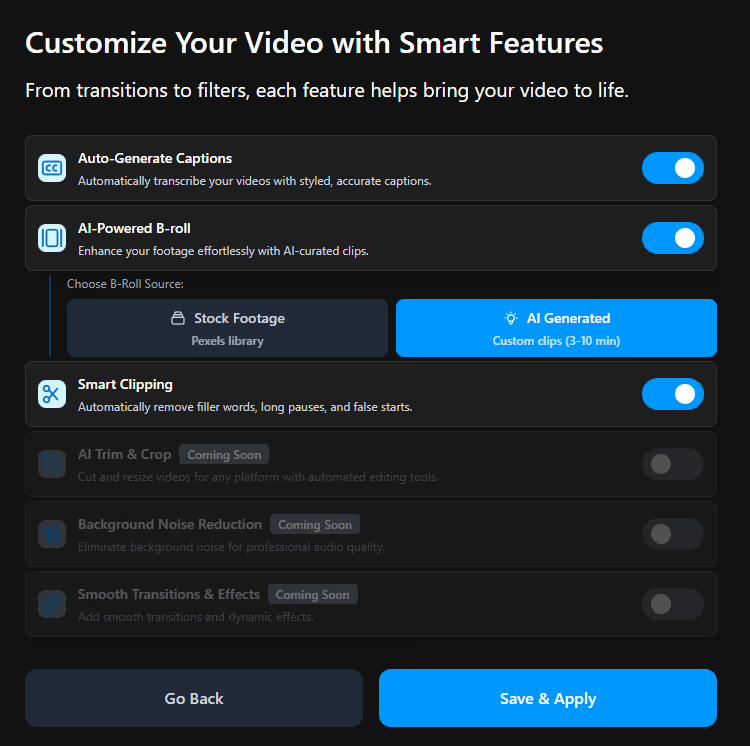
Smart Clipping

Trusted by Professionals Building Visibility at Scale

Aria Madeo

Hyperwav removed the entire editing bottleneck. I record once, upload, and the video comes back cleaner than anything I ever outsourced.

Daniel Moore

The captions and pacing feel intentional, not automated. That’s what made me comfortable posting regularly

Priya Nair

We use Hyperwav to turn internal knowledge into external content without slowing our team down

Jason Liu

It feels less like a tool and more like an invisible editor.

Highlights

Video Editing, Rebuilt for How Professionals Actually Work

Hyperwav isn’t about creative control or complex timelines.It’s about turning expertise into clean, credible video — quickly, consistently, and without friction

Join Waitlist

Features

Editing Intelligence, Not Editing Software

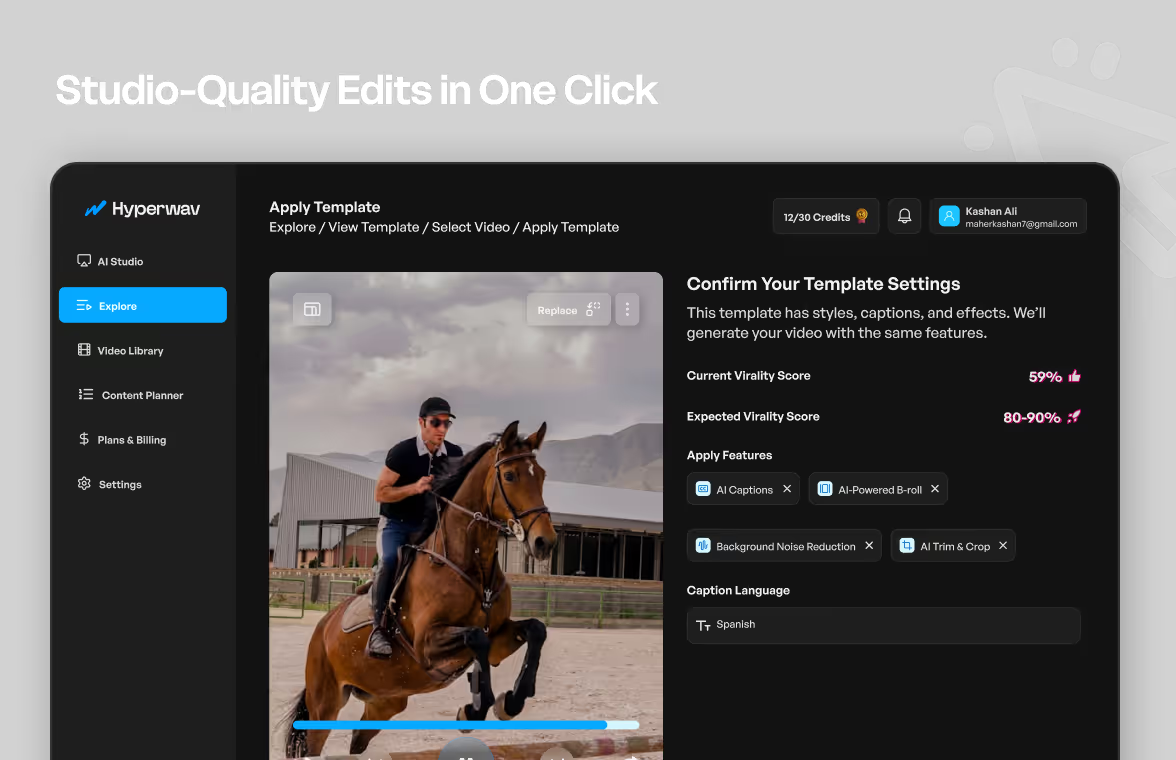
Hyperwav replaces manual timelines with smart systems — so you can upload raw footage and still publish clean, professional video.

AI-Directed B-Roll

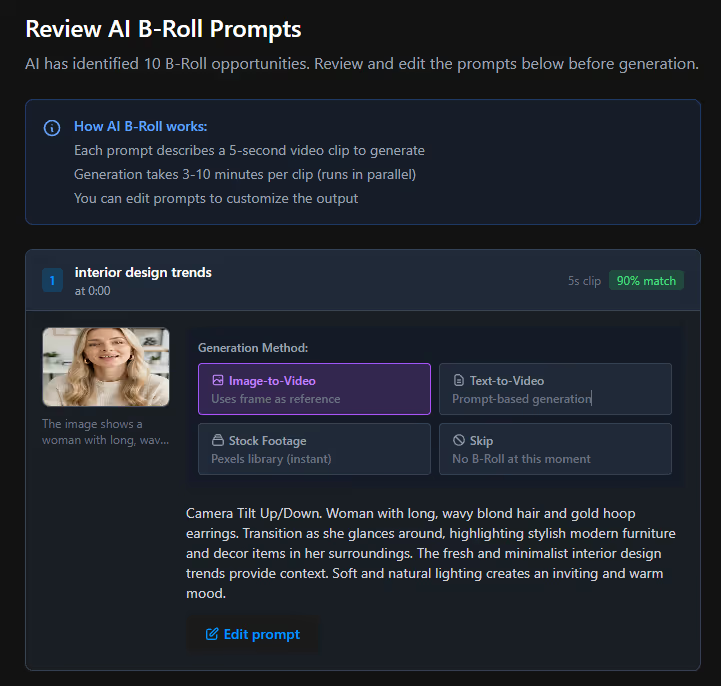
Suggests contextual B-roll placement using Image to Video, Text to Video, Stock Footage, or No B-roll with ease

AI-Directed B-Roll

Suggests contextual B-roll placement using Image to Video, Text to Video, Stock Footage, or No B-roll with ease

Captions for Clarity

Generates auto-timed captions with professional presets or custom fonts, colors, and layouts.

Captions for Clarity

Generates auto-timed captions with professional presets or custom fonts, colors, and layouts.

Smart Clipping

Automatically removes filler words, long pauses, and false starts from your recording.

Smart Clipping

Automatically removes filler words, long pauses, and false starts from your recording.

AI-Directed B-Roll

Captions for Clarity

Smart Clipping

Simple-Steps

From Recording
to Publish-Ready in Four Steps

Whether starting from raw footage or just a prompt Hyperwav delivers professional results faster than traditional editing

Why choose Hyperwav

Built for People Who Think for a Living

Hyperwav is designed around professionals who value clarity, credibility, and time — not creative chaos.

Designed for Real Schedules

No Editing Learning Curve

Polish Without Overproduction

Consistency Without Burnout

Video Editor

Explore Hyperwav Video Editor

Whether starting from raw footage or just a prompt Hyperwav delivers professional results faster than traditional editing

Coming soon!

FAQs

Everything You Need to Know

Quick answers to common questions before you create your first AI-powered video

Do I need editing experience to use Hyperwav?

No. Hyperwav is built for professionals with no editing background. Upload, choose preferences, and let the system handle the rest.

How long does editing take?

Most videos are processed in 2-3 minutes.

Can I control how the video looks?

Yes. You can adjust caption style, pacing, B-roll intensity, and polish level before exporting.

Are more features coming?

Yes. Advanced AI effects and deeper editing controls are already in development.

Hyperwav

Discover a Smarter Way to handle Your Videos